
Meets — Track & Field
Event Scoring
Event Scoring is where you record results for every event in your meet. Individual events, relays, and field events are all scored here, and QuickMeet ranks and points them automatically.
Every event type, one place
Each event is scored the way it's actually contested:
- Running events & relays — enter finish times.
- Field events — record each attempt; the best mark ranks the athlete.
- Vertical jumps — record makes and misses at each height.
Whatever the event, places and points are assigned automatically as you enter results, and everything rolls up into team standings.
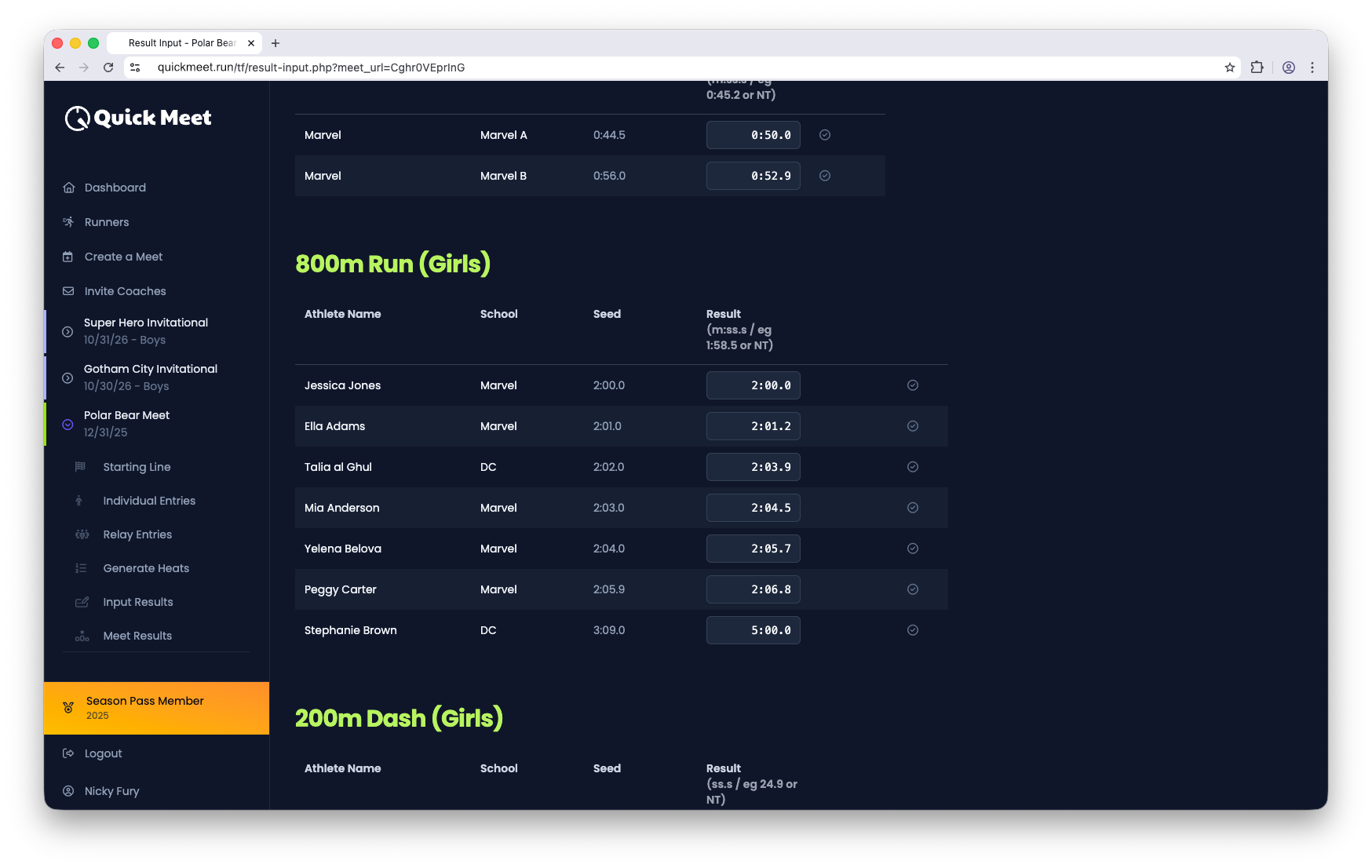
Entering running results
- 1
Open the event
From the meet, open the running event or relay you want to score.
- 2
Type each time
Enter each athlete's time in the field. QuickMeet checks the format as you type, so stray entries get caught early.
- 3
Let it auto-save
Results save automatically — a checkmark confirms each one. There's no separate save step.
Field & vertical events
Field events and vertical jumps are scored here too, using entry that fits their format — attempts for throws and horizontal jumps, and bar-by-bar makes and misses for high jump and pole vault. See Field events and Vertical jumps for the details of each.
Tip
Good to know
- Places and points update automatically as results are entered.
- You can enter results before or after finalizing heats.
- Team points roll up on Results & team scoring.